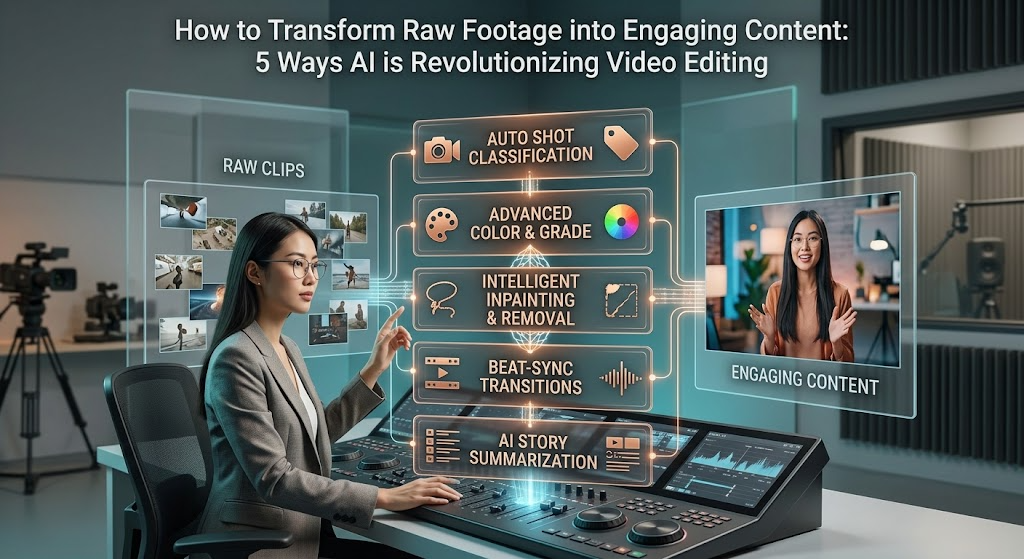
Video is the undisputed king of digital content, driving engagement across social media platforms, comprehensive marketing campaigns, and interactive educational portals. However, the traditional video production pipeline has always been notoriously tedious and technically demanding. Creating a polished, professional video usually involves hours of sifting through raw footage, performing manual cuts, syncing multiple audio tracks, adding seamless transitions, and generating accurate subtitles.
For independent creators, digital marketers, and small business owners, this intensive workflow often becomes a significant operational bottleneck, preventing them from scaling their content output to meet audience demands.
Fortunately, the rapid integration of Artificial Intelligence (AI) and Large Language Models (LLMs) is fundamentally shifting how we approach post-production. Instead of starting from scratch on a complex, multi-track timeline that requires years of technical expertise to master, creators can now use natural language prompts to guide the editing process.
By leveraging AI-powered tools, you can automate the most time-consuming aspects of video creation while retaining full creative control over the final product. Here are five powerful ways AI video editors are transforming how we turn raw footage into captivating visual stories.
1. Building Instant Rough Cuts with Natural Language
The hardest part of editing is often the initial assembly going through gigabytes of raw, unorganized clips to find the usable takes and placing them in a logical, coherent sequence. This phase alone can consume hours of a creator’s day before the actual creative editing even begins. AI removes this friction entirely by allowing you to direct the edit using plain text and conversational instructions.
Modern integrations allow you to upload your raw video files and simply describe how you want them arranged. For example, using a ChatGPT video editor online workflow, you can input conversational instructions telling the AI which specific moments to prioritize, what kind of pacing you want, and the target duration of the final video.
The system analyzes your uploaded clips, identifies the key moments based on your prompt, trims away the unnecessary fluff, and arranges them into an editable rough cut on the timeline. This seamless translation from a text-based concept to a visual draft saves hours of manual dragging and dropping, giving you a highly structured foundation to build upon instantly.
2. Context-Aware Asset and Template Matching
Staring at a timeline of raw, unedited clips can be visually uninspiring, even if the sequence is logically sound. To make a video truly engaging, it usually requires dynamic transitions, text overlays, and a cohesive visual style that matches the brand identity. Finding the right templates and assets manually can severely disrupt your creative flow and delay production.
Advanced AI video editors actively analyze the visual content of your uploaded footage and the contextual meaning of your written instructions. Based on this dual analysis, the AI can automatically match your clips with highly suitable design templates, stock media, and visual effects.
If you are creating a fast-paced social media promo, the AI will suggest templates with energetic cuts, upbeat music, and bold text overlays. If you are producing a corporate explainer, it will apply cleaner, more professional transitions with subtle lower-thirds. This intelligent asset matching ensures your video has a polished, cohesive aesthetic right out of the gate without requiring hours of manual design work.
3. Automated Dead-Air Removal and Pacing Adjustments
Whether you are recording a talking-head vlog, a long-form podcast, or a detailed software tutorial, the raw footage is rarely flawless on the first take. It is typically filled with awkward silences, throat clears, and multiple attempts at articulating the same sentence. Traditionally, a human editor had to scrub through the audio waveform manually, making microscopic cuts to remove every single pause or mistake.
AI tools now feature smart detection algorithms that can identify and automatically remove silences and filler words in seconds. The software analyzes the audio track and intelligently tightens the overall pacing, ensuring that the dialogue flows naturally without sounding choppy, rushed, or robotic. By automatically condensing a messy, unpolished recording into a tight, highly watchable sequence, creators can focus their energy on adding creative flair rather than performing tedious administrative cuts.
4. Intelligent Subtitling and Multilingual Formatting
In the modern mobile-first digital landscape, a massive portion of video content is consumed on smartphones with the sound completely muted. Because of this, accurate, dynamic captions are no longer an optional luxury; they are absolutely essential for audience retention and accessibility. However, manually transcribing audio and keyframing text to match a speaker’s exact cadence is exhausting and time-consuming work.
AI video editors come equipped with powerful speech-to-text engines that generate perfectly synchronized subtitles almost instantly. Furthermore, you can apply stylized text animations, custom fonts, and dynamic colors that highlight specific keywords to keep scrolling viewers actively engaged. Beyond basic transcription, these advanced tools often support multi-language translation, allowing you to seamlessly adapt your video for a global audience with just a few clicks. The AI handles the heavy lifting of transcription and timing, leaving you to simply review and tweak the final text for absolute accuracy.
5. Maintaining Total Creative Control
A common misconception about AI editing is that it forces you to accept a rigid, machine-generated final product, effectively removing the human touch from the artistic process. In reality, the best AI video tools are designed to serve as collaborative creative assistants, not autonomous replacements for human ingenuity.
When an AI generates a rough cut, applies a visual template, or syncs dynamic subtitles, the resulting timeline remains fully editable. You are never locked into the AI’s initial structural decisions. You can easily swap out specific clips, adjust the timing of a micro-transition, change the background music track, or rewrite a stylized caption.
The AI simply accelerates the repetitive, structural phases of production, delivering an advanced starting point so you can dedicate your time to refining the narrative, tone, and final creative polish. By handling the heavy lifting of the initial assembly, the technology actually gives you more time to focus on what truly matters: the story itself.
Frequently Asked Questions (FAQs)
What exactly is an AI video editor?
An AI video editor is a software platform that utilizes machine learning algorithms to automate and simplify various stages of the video production process. It can perform complex tasks such as generating scripts from text prompts, automatically cutting silences from audio tracks, syncing external audio, suggesting visual templates, and generating subtitles, significantly reducing the need for manual timeline editing.
How do prompt-based editing workflows operate?
Prompt-based workflows allow you to control the video editing process using natural, conversational language. You upload your raw video files and type instructions (e.g., “Create a fast-paced 30-second promo highlighting the main action scenes”). The AI analyzes your footage and instructions, automatically selecting and arranging the best clips to create an editable draft directly on your timeline.
Will AI technology completely replace human video editors?
No. AI is incredibly effective at automating tedious, repetitive, and administrative tasks like transcription, basic trimming, and rough cut assembly. However, human judgment is still absolutely essential for determining the creative direction, injecting emotional nuance, refining the visual pacing, and ensuring the final video aligns perfectly with the intended brand narrative.
Can I still edit the video manually after the AI generates a draft?
Absolutely. The primary purpose of AI in this context is to provide an advanced, structured starting point. Once the AI generates the initial rough cut, the entire timeline remains fully unlocked. You have complete freedom to manually trim clips, adjust audio levels, change text styles, and apply custom color grading before exporting the final video.
Conclusion
The technical barriers to high-quality video production are rapidly dissolving. By embracing conversational AI and intelligent timeline automation, independent creators and large marketing teams alike can bypass the most frustrating, time-intensive aspects of post-production.
Whether it is translating a text prompt into an instant rough cut, automatically removing awkward silences to fix pacing, or generating dynamic global subtitles, AI tools act as a tireless digital assistant that dramatically scales your creative output.
The future of digital content creation belongs to those who learn to collaborate effectively with these emerging technologies, merging authentic human creativity with incredible machine efficiency to tell better, more engaging stories faster than ever before.